⚽ SOCCERVERSE COINS (SVC)
IN-GAME CURRENCY
The Soccerverse economy is fueled by the in-game currency SVC (Soccerverse Coins, symbol: ₷). In a very real sense, you own your SVC. Nobody can take it away from you, not even the game developers, thanks to the underlying blockchain technology.
SVC is inflationary and has no total/max supply.
You can see your personal/user SVC balance when visiting your user profile page.
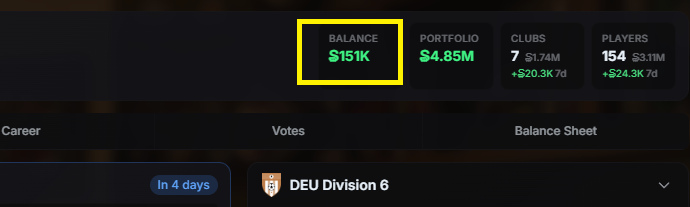
SVC user balance
You can send SVC to other users by visiting their profile and clicking the SVC icon next to the username or you can go to the dropdown menu top right and select "Send SVC".
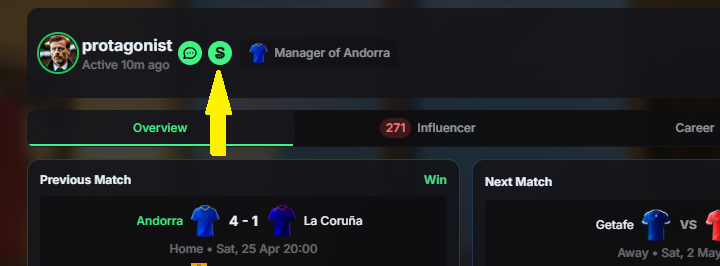
The SVC in the club you are managing is not related in any way to your personal SVC balance. A club's SVC are not transferable.
You earn SVC with your manager's and/or agent's wage, by holding influence in clubs and players or by being a successful trader in the influence markets.
BUYING AND SELLING SVC IN THE GAME
You can buy SVC from other users and also sell the SVC you earned with your in-game activities to other users inside the game. The countercurrency for this is WCHI, which is the native currency of the Xaya ecosystem, or USDC.
When selling your SVC, you will get WCHI. For buying SVC, you need to have WCHI or USDC in your wallet.
Please note, that free moves don’t work here, you have to pay for transactions fees on your own.
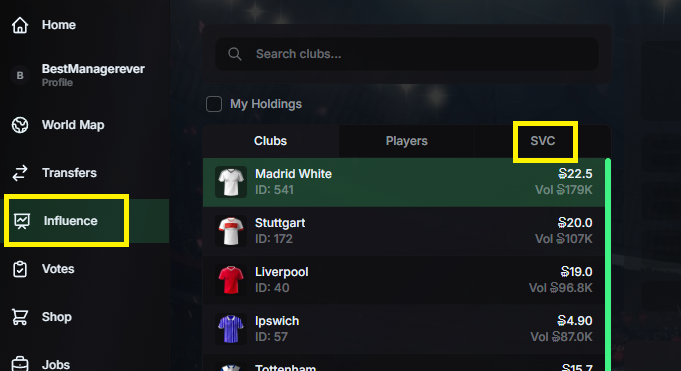
To get to the in-game decentralized exchange (DEX), go to "Influence" in the menu bar and select SVC next.
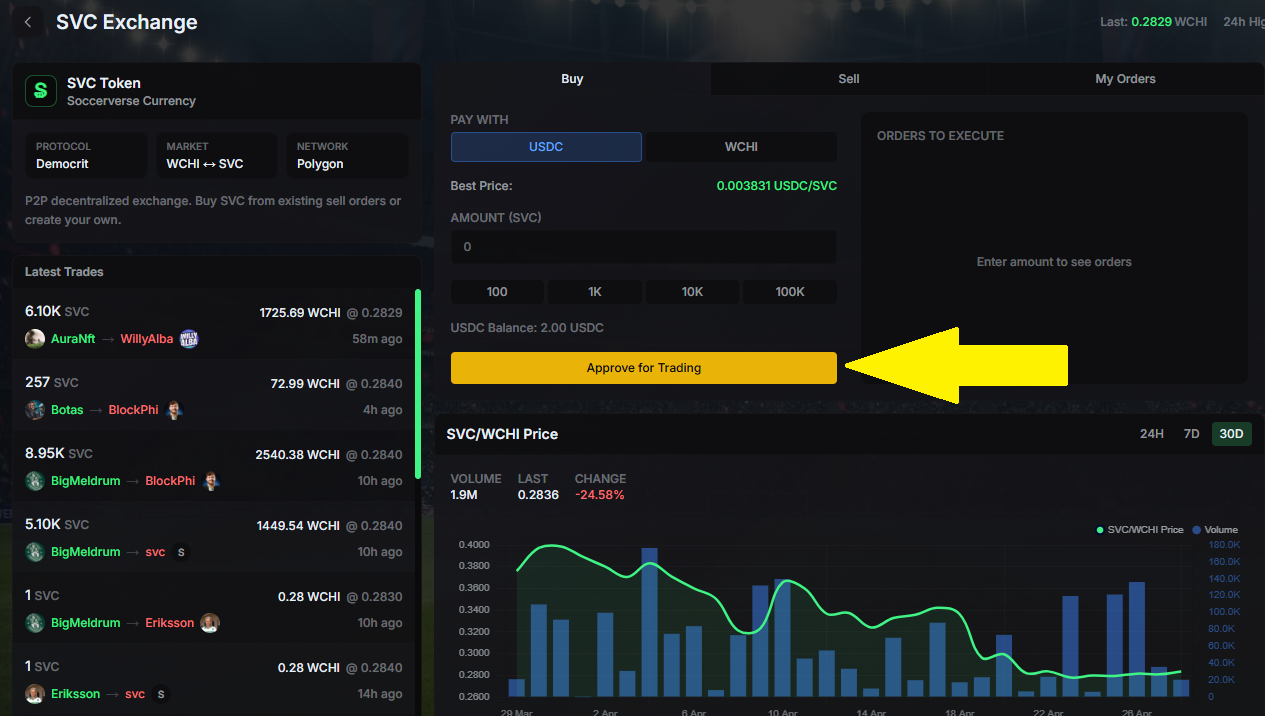
When visiting this page for the first time, you would have to approve your account for trading once. Click the “Approve for Trading” button and approve all outstanding approvals.
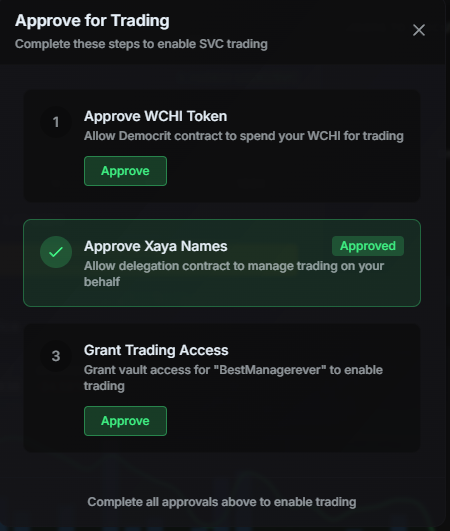
SELLING SVC
To put your SVC up for sale, switch to SELL on top first.
In the SVC field, put in the total amount of SVC you wish to sell.
In the PRICE field, put in the price you want to sell your SVC for each (remember that the price is denominated in WCHI for setting up a sell order, check the current market price at the top).
The WCHI field will automatically calculate how many WCHI you get, when your sell order is fully filled.
In the screenshot below, I wish to sell 50 SVC for a price of 0.25 WCHI each, for which I would get 12.5 WCHI in total if all SVC get sold.
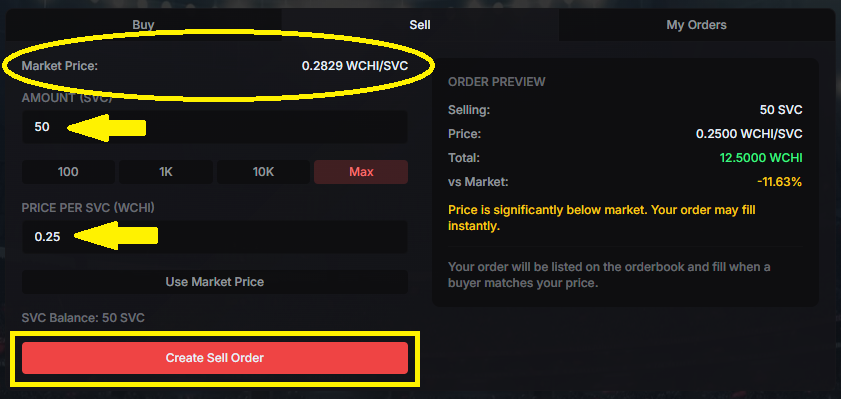
Setting the SVC amount and price
Click the "Create Sell Order" button after you have double-checked and everything looks fine.
Please note, that you will not instantly sell those SVC - you just put up a sell order, telling the market that you have SVC for sale. This sell order will appear in the order book (in USDC) in red and other users can now buy the SVC from you.
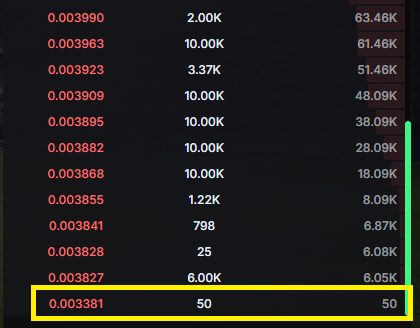
Your open sell order in the order book
BUYING SVC
To buy SVC from other users, make sure you are on BUY at the top.
Check the order book for current/open sell orders - you can switch between USDC/WCHI, whatever you like best or which funds you currently have available in your wallet.
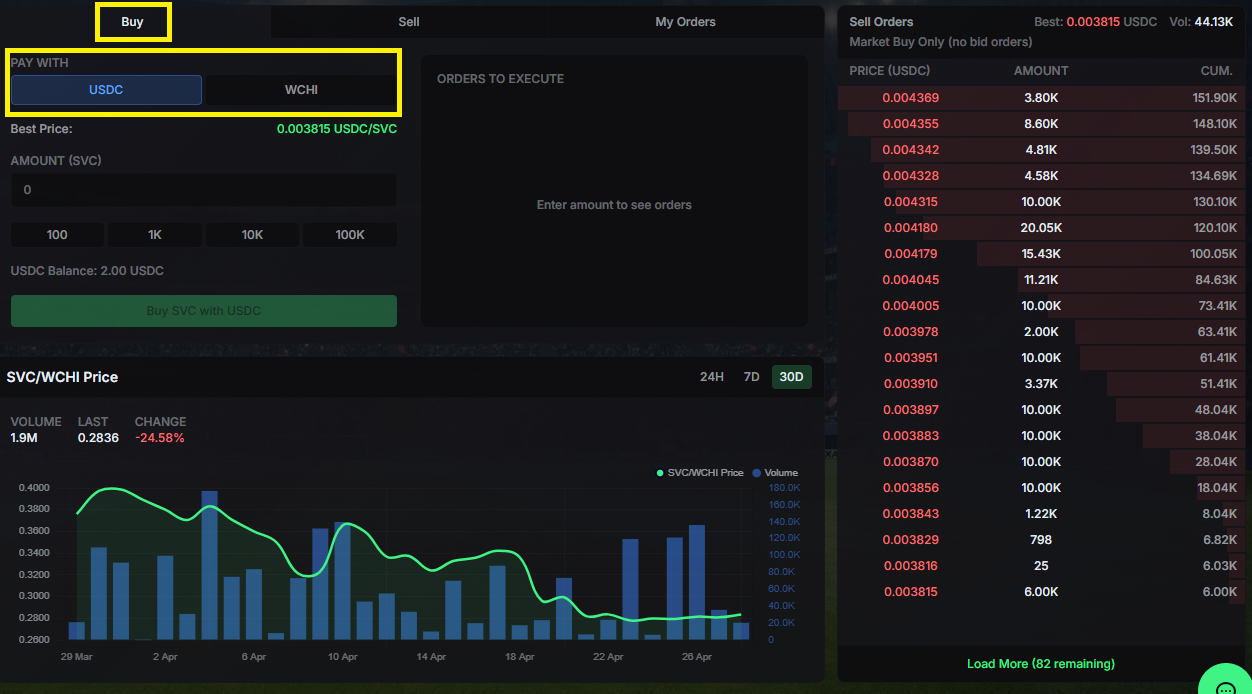
You can see a sell order for 0.003815 USDC per SVC which was put up by a user and decide to buy some SVC for that price.
In the SVC field, put in the total amount of SVC you wish to buy. You don’t need to fully fill the sell order, you can partially fill it.
There is no PRICE field, since the lowest price for which SVC is currently for sale is automatically put in.
At the bottom you will see a preview of your order. So in this case, I will buy 50 SVC for a price of 0.003815 per SVC, which will cost around 0.1927 USDC (or 14.145 WCHI) in total. Click "Buy SVC with USDC" if everything looks fine.
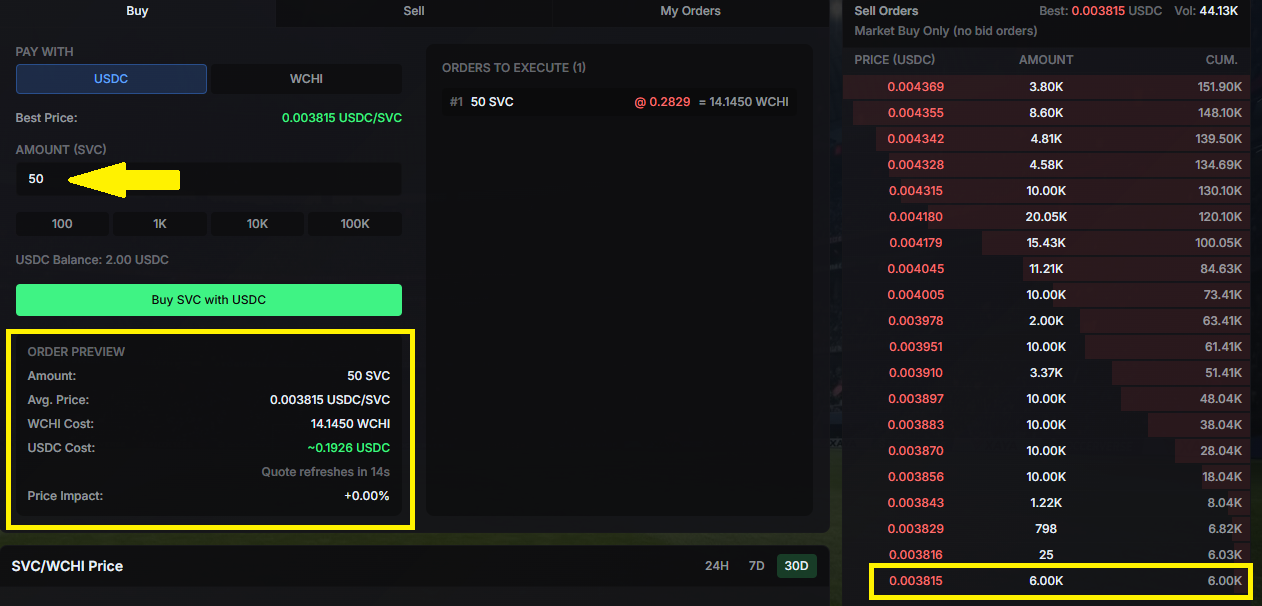
Looking at the order book after your transaction was confirmed, you can see how the numbers have changed.
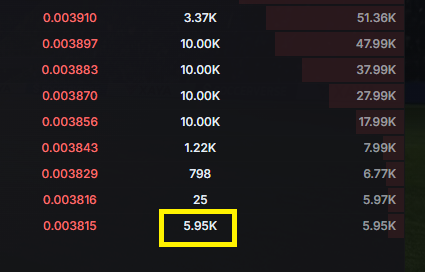
6000 SVC were for sale before. You bought 50 SVC, so only 5950 SVC remain for sale. You got your 50 SVC from the seller and the seller got 14.150 WCHI from you.
This is a free market, where users meet and agree on a price for selling/buying SVC. There are no set prices.